Seller portal connects your organization to GMEX through the
Digital Sales Agent (DSA). Complete the onboarding process by
accessing Seller Central, configure a warehouse, and setup your
DSA application.
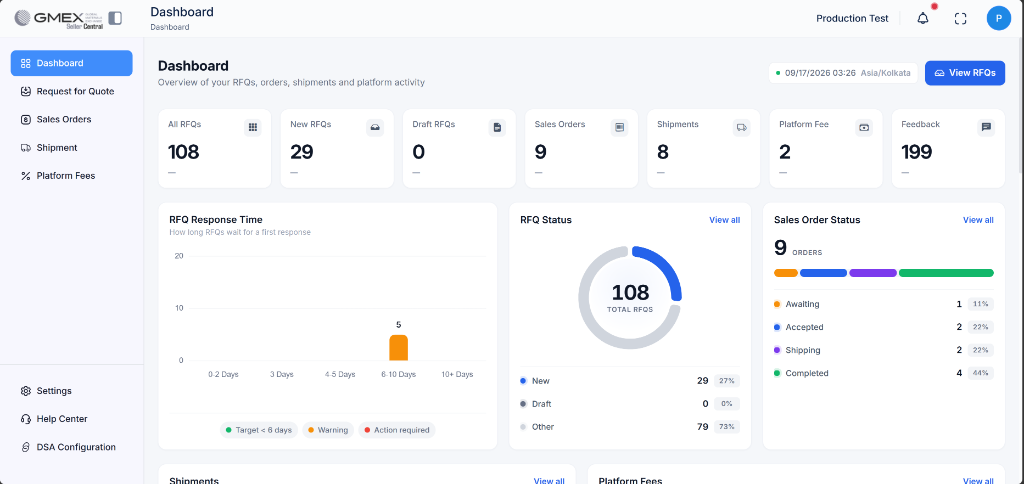
Once signed in, locate and select Dashboard
from the left navigation menu.
REFERENCE SCREEN
Seller portal
Use the left navigation menu to access Dashboard and other
seller management options. The displayed counts are examples.
STEP 02 · ORGANIZATION
Configure a Warehouse
Warehouse configuration records the location associated with
the seller's inventory and order operations.
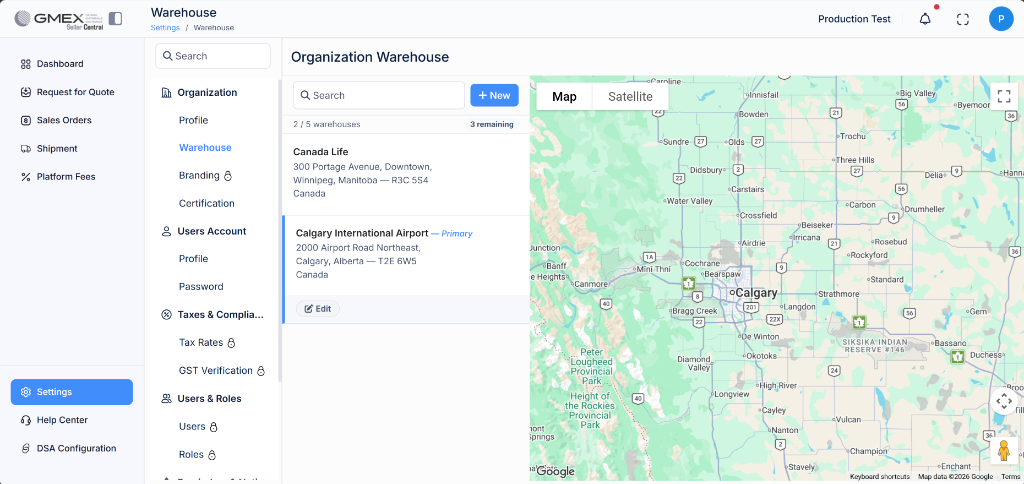
Select Settings from the left menu.
Under Organization, select
Warehouse.
Select + New, enter the warehouse address,
and save the details.
Expected result: The saved warehouse appears
in the warehouse list with its address and a corresponding
map pin. One warehouse can be designated as
Primary, meaning orders use that warehouse
first.
REFERENCE SCREEN
Warehouse management
Navigate to Settings → Organization → Warehouse.
Use + New to add a warehouse. The addresses
displayed in the screenshot are examples.
STEP 03 · INTEGRATION
Configure and Set up your DSA Application
Configure the DSA connection in Seller Central, complete registration,
and create your DSA account to establish the integration.
1. Configure the connection
Open DSA Configuration from the bottom of the left navigation menu.
Verify the automatically populated Organization ID.
Enter Route To URL as https://yourdomain.com and DSA Server URL as https://yourdomain.com/api/. Replace yourdomain.com with the seller's domain.
Retrieve the Auth Token from DSA Configuration and select Connect DSA.
REFERENCE SCREEN 01
Configure DSA connection
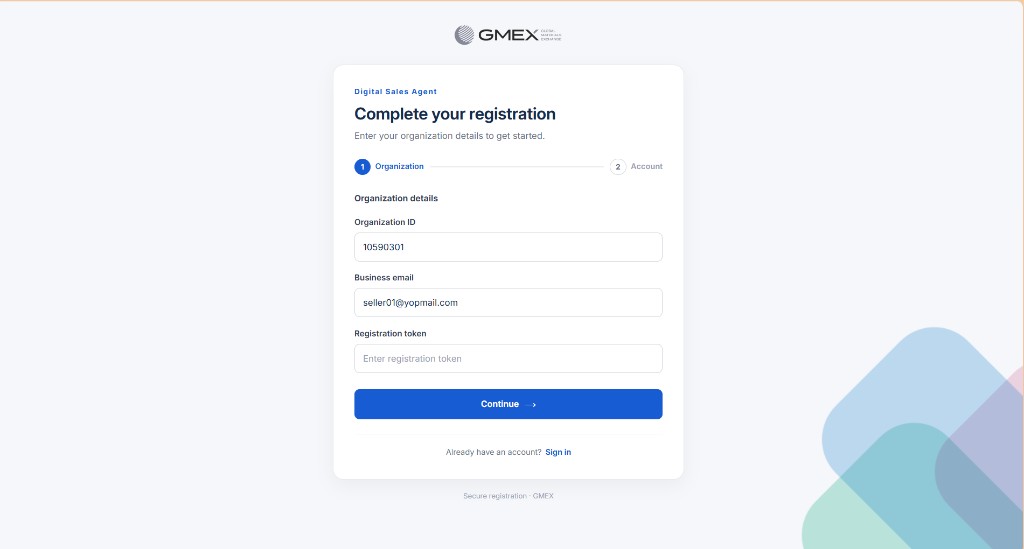
2. Registration
On the registration screen, enter the Auth Token in the Registration Token field, verify the Organization ID, and select Continue.
REFERENCE SCREEN 02
Register your organization
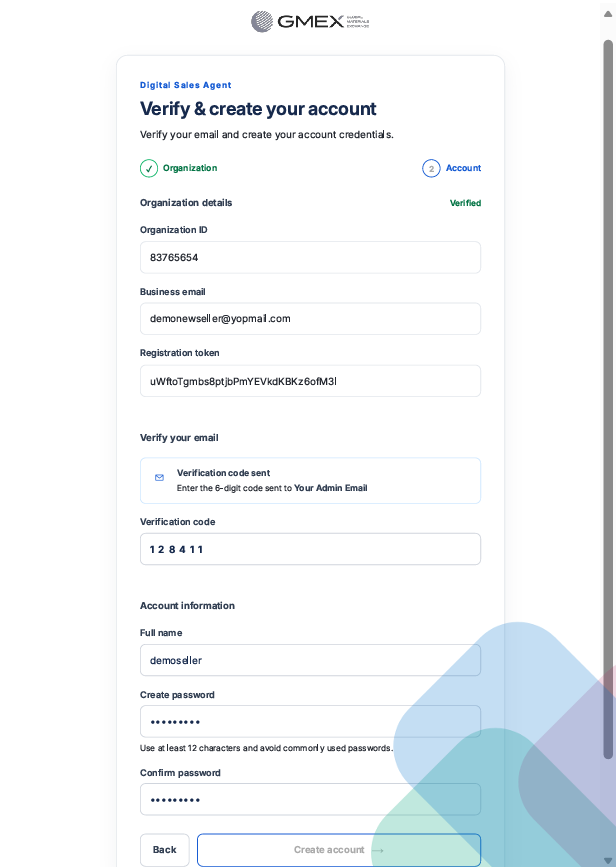
3. Create Your Account
Enter the verification code provided by your administrator.
Enter your name, set a password, confirm it, and select Create Account.
Once your account is created, DSA opens automatically. Return to Seller Central and select Refresh Connection to confirm that the status changes to Connection Stable.
REFERENCE SCREEN 03
Create your DSA account
DSA Configuration Reference
Field
Description
Value
Organization ID
Identifies the seller organization.
Automatically populated
Route To URL
Destination for user redirection.
https://yourdomain.com
DSA Server URL
API endpoint for registration and synchronization.
https://yourdomain.com/api/
Auth Token
Authentication token required for DSA registration.
Retrieve from DSA Configuration
Registration Token
Accepts the Auth Token during registration.
Enter the retrieved Auth Token
Route To URL is https://yourdomain.com. DSA Server URL is https://yourdomain.com/api/. Replace yourdomain.com with the seller's domain. For issues during onboarding, email info@gmex.com or open Get Help.