Step 1
Save the time zone
- In the left menu, click Settings. It is under Discount Strategy.
- Open Time Zone and choose your zone. This field is required. The picture shows (UTC-12:00) International Date Line West.
- Open Date Format and choose how dates should look. This field is required. The picture shows DD/MM/YYYY.
- Open Time Format and choose how times should look. This field is required. The picture shows HH:mm.
- Click Save.
All three fields have a red star, so each one needs a choice before you save. Pick the zone and formats for your own account. The three values in the picture are only an example.
Example screen
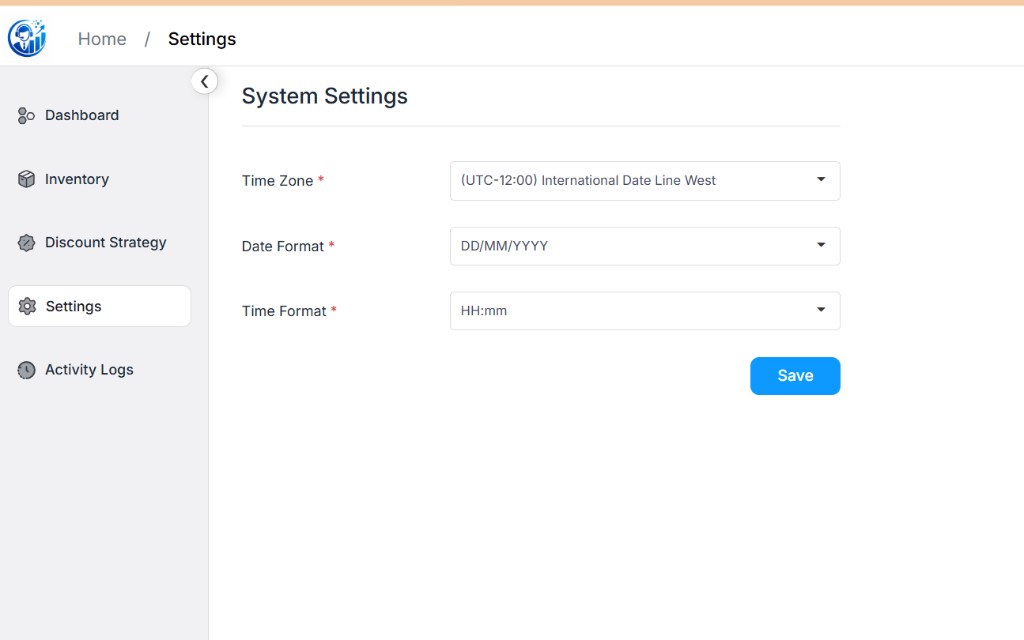
Look for Time Zone, Date Format, Time Format, and the blue Save button. Settings is highlighted in the left menu.